Architecture Update: Project Memory for Codex
Durable project memory through ARCHITECTURE.md, runbooks, project skills and compact agent pointers
Conservative artifact routing for facts that future Codex sessions should not rediscover
A maintenance skill that keeps architecture context useful without turning AGENTS.md into a knowledge dump
Codex skills, architecture memory and AI coding workflow
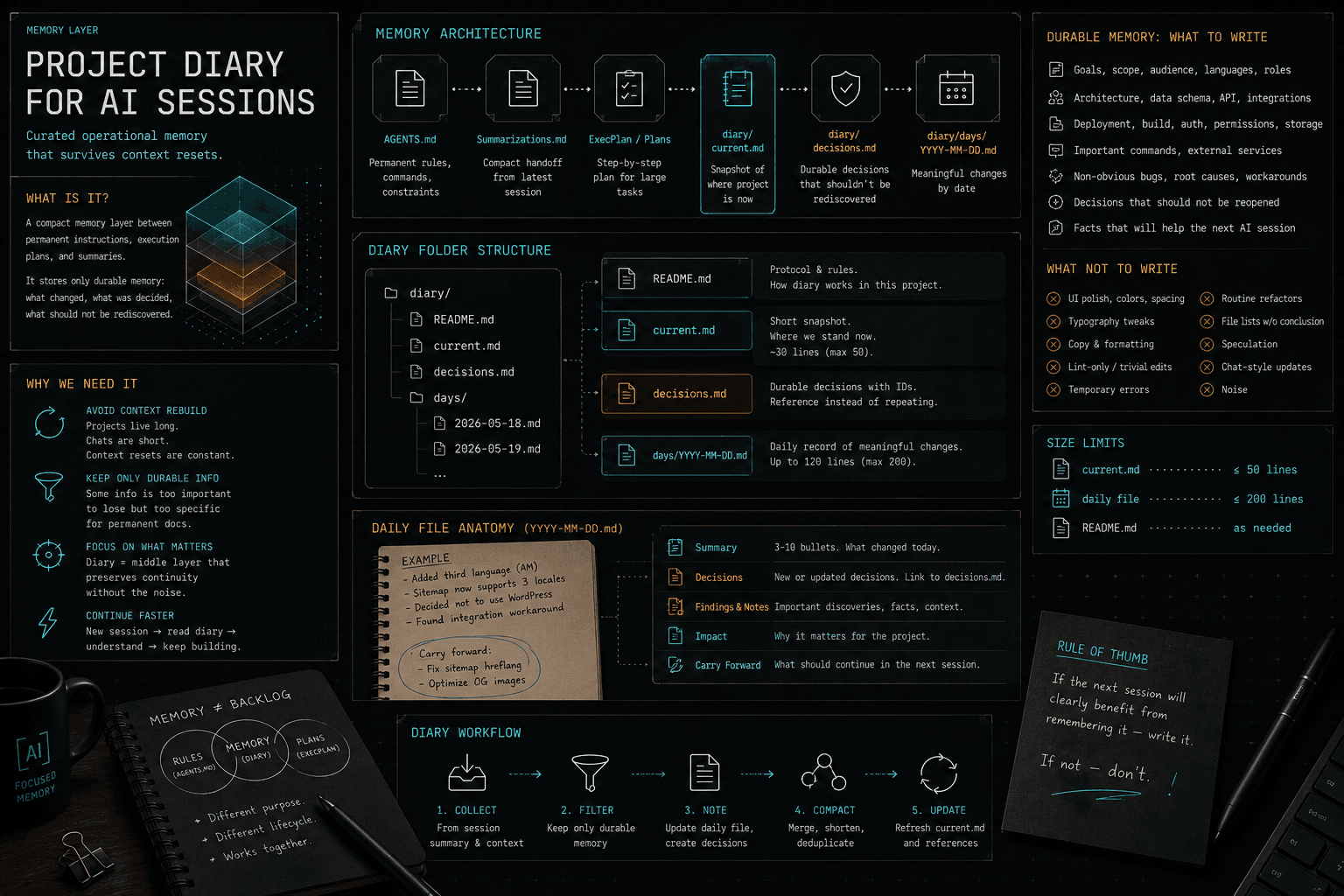
$ architecture-update
> scan durable project changes
> route facts to architecture, runbooks, or project skills
> keep AGENTS.md compactThe Short Idea
architecture-update is a global Codex skill that maintains project memory after meaningful work. Its purpose is not to produce documentation for its own sake. Its purpose is to make sure the next AI agent, the next Codex session, or another compatible coding agent can quickly understand:
- what the project is;
- where the important parts live;
- which modules own which responsibilities;
- how runtime, data, content, and deployment flows work;
- where to start for specific changes;
- which operations already have runbooks;
- which project-specific AI skills already exist;
- what is known and what still needs verification.
The central rule is: preserve durable facts, reject noise.
The skill should not turn AGENTS.md into a large reference manual. Instead, it separates project memory into layers:
| Layer | File or Directory | Role |
|---|---|---|
| Project map | ARCHITECTURE.md | Factual map of the project |
| Agent pointer | AGENTS.md | Compact always-on guidance for Codex |
| Procedures | docs/runbooks/*.md | Repeatable step-by-step operations |
| Project automation | .agents/skills/*/SKILL.md | Narrow project-specific AI workflows |
| Human onboarding | README.md | Quickstart for humans |
This reduces repeated project discovery. If a future session needs to publish an article, deploy a release, or modify a data flow, the agent does not need to inspect the repository from zero. It reads the relevant memory layer.
Why architecture-update Exists
Long-running projects lose context between AI sessions. Even if an agent learns today where blog posts live, how imports work, or how production deployment is wired, a fresh session tomorrow often starts from almost nothing. That costs tokens, time, and correctness.
architecture-update solves this as a maintenance skill:
- After meaningful work, it checks whether the session produced durable project knowledge.
- It rejects one-off details, temporary hacks, unproven assumptions, and secrets.
- It chooses the correct artifact for each surviving fact.
- It updates the smallest useful file.
- It connects
ARCHITECTURE.md, runbooks, project skills, andAGENTS.mdwithout duplication.
This is not a task-execution skill. It does not publish articles, deploy code, or refactor modules. It runs after work so project memory catches up with reality.
Why Everything Should Not Live in AGENTS.md
AGENTS.md is always-on project guidance for Codex. That means its contents influence the agent constantly. If the file contains the full architecture, all deployment procedures, all publishing steps, and all module-specific details, it becomes heavy and noisy.
The practical risks are:
- the agent loads irrelevant context for simple tasks;
- important rules are buried under details;
- the file becomes difficult to maintain;
- architecture facts get mixed with operational procedures;
- project-specific workflows start competing with global guidance.
For that reason, architecture-update keeps AGENTS.md compact. It should only contain a pointer:
Project Architecture
- Treat
ARCHITECTURE.mdas the source of truth for repository structure, runtime flows, integrations, content pipelines, deployment layout, and project-specific gotchas. - Before cross-module, deployment, content/CMS, data-model, or integration changes, read the relevant section of
ARCHITECTURE.md. - Use
$architecture-updateafter meaningful changes that alter architecture, project flows, deployment/content procedures, or reusable project-specific agent workflows.
The idea is simple: AGENTS.md tells the agent where to look, but does not try to become the whole project.
The Core Model: One Fact, One Layer
architecture-update behaves like a router. It does not merely ask, "Should this be documented?" It asks the more important question: which single layer should own this knowledge?
| Knowledge Type | Destination | Reason |
|---|---|---|
| Module locations, ownership, flows, integrations | ARCHITECTURE.md | This is the factual project map |
| Repeatable step-by-step operation | docs/runbooks/*.md | This is a procedure, not architecture |
| Repeatable project-specific AI workflow | .agents/skills/*/SKILL.md | This is trigger-based automation for agents |
| Always-needed agent behavior | AGENTS.md | This is compact persistent guidance |
| Human quickstart | README.md | This is onboarding, not internal architecture |
This prevents documentation from becoming a mixed pile. If the whole article publishing procedure is pasted into ARCHITECTURE.md, architecture becomes bloated. If architecture is placed inside a runbook, the runbook stops being operational. If everything is copied into AGENTS.md, the context becomes too heavy.
Default Outcome: No Changes
The most important behavior of the skill is conservatism.
architecture-update should default to no changes. If the completed work did not produce stable knowledge that future sessions are likely to need, the skill should leave files untouched.
It should not update memory for:
- minor wording changes;
- one-off bugs;
- temporary workarounds;
- local experiments;
- assumptions not proven by code or accepted decisions;
- private tokens, payloads, credentials, or secrets;
- details already obvious from existing code;
- cosmetic "cleanup" with no future value.
This matters. If the skill writes everything down, ARCHITECTURE.md becomes as noisy as a long chat history.
When to Update ARCHITECTURE.md
ARCHITECTURE.md is updated when the session changed or discovered a durable fact about how the project works.
Good reasons:
- a new major directory appears;
- a runtime entrypoint changes;
- build, start, or deploy behavior changes;
- a new content pipeline is introduced;
- blog, CMS, or uploads behavior changes;
- a new external integration is added;
- data model or storage changes;
- a durable invariant is discovered;
- an important gotcha is found;
- a new runbook is created;
- a new project skill is created.
Bad reasons:
- "we changed a button today";
- "we found and fixed a local bug";
- "deployment probably works like this";
- "let's record the session history";
- "just in case".
ARCHITECTURE.md should answer: how is the project built, and where do important changes start?
The Structure of ARCHITECTURE.md
The skill defines a standard file shape. The shape is not bureaucracy. It lets different AI agents orient themselves in any project quickly.
Purpose
Explains what the file is for.
It should say:
- this file is the factual project map;
- it is not
README.md; - it is not
AGENTS.md; - it is not a runbook;
- it is not a session log;
- unverified facts belong in
Unknowns.
Example:
Purpose
This file is the durable architecture map for the project. It explains repository structure, runtime flows, integrations, deployment layout, content pipelines, and project-specific gotchas. Agent behavior belongs in AGENTS.md. Step-by-step operations belong in docs/runbooks.
System Snapshot
A compact passport for the project.
| Area | Value | Evidence |
|---|---|---|
| App type | Static content site | package.json, src/pages |
| Runtime | Node.js build, static output | package.json |
| Content source | content/blog | src/lib/blog.ts |
The Evidence column is important. It forces the file to distinguish proven facts from guesses.
Repository Map
A map of directories and responsibilities.
| Path | Responsibility | Edit when | Verify with |
|---|---|---|---|
| src/components | Shared UI components | Changing reusable UI | npm run build |
| content/blog | Blog source files | Adding or editing posts | npm run build |
| scripts | Operational scripts | Updating automation | targeted script run |
This is one of the most useful sections for AI. It answers: "Where should I start if I need to change X?"
Runtime Entry Points
Process and application entrypoints.
| Entrypoint | Owns/starts | Config source | Notes |
|---|---|---|---|
| src/main.tsx | Browser app bootstrap | vite.config.ts | Client entry |
| server/index.ts | API server | .env, package.json | Production process |
This section is especially important for projects with multiple processes: frontend, backend, worker, cron, queue consumer, and admin panel.
Core Flows
Descriptions of the main flows.
Example:
Blog Rendering Flow
- Trigger: build or dev server route render.
- Source: content/blog/*.md.
- Parser: src/lib/blog.ts.
- Output: generated blog pages under /blog/:slug.
- Verification: npm run build and open /blog/<slug>.
A flow should be concrete. Not "data goes through the backend," but which data, from where, through which files, to what output, and how to verify it.
Content / Blog / CMS Pipeline
This section is especially important for content-heavy projects.
| Concern | Local source | Runtime/production location | How it works | Verification |
|---|---|---|---|---|
| Blog posts | content/blog/*.md | Generated /blog/:slug pages | Parsed by src/lib/blog.ts during build | npm run build |
| Images | public/blog/* | Static public assets | Referenced from markdown frontmatter/body | open rendered post |
If the project publishes articles, this section should make clear:
- where to put
.mdfiles; - what frontmatter is expected;
- where images live;
- how slugs are produced;
- which code renders pages;
- where the content appears in production;
- how to verify publishing.
Integrations And External Systems
All external systems.
| System | Purpose | Code location | Config/env | Verification |
|---|---|---|---|---|
| Stripe | Payments | src/integrations/stripe | STRIPE_SECRET_KEY | test webhook |
| CMS API | Content sync | scripts/sync-cms.ts | CMS_TOKEN | dry-run sync |
Secrets must not be written here. Only env variable names and code locations belong here.
Data Model And Storage
Where data lives.
| Data/entity | Storage/schema source | Owner module | Used by | Notes |
|---|---|---|---|---|
| Post | content/blog frontmatter | src/lib/blog.ts | blog pages, RSS | slug must be unique |
| User | prisma/schema.prisma | src/modules/users | auth, admin | migrations required |
Deployment And Environments
How the project reaches runtime.
| Environment | Build/deploy path | Runtime process | Content/uploads location | Verification |
|---|---|---|---|---|
| Production | npm run build -> dist | static host | public/uploads | open smoke pages |
If production details are not proven, they must not be invented. Put them in Unknowns.
Change Map
The most practical section for future agents.
| If you need to change... | Start here | Also check | Verify with |
|---|---|---|---|
| Blog rendering | src/lib/blog.ts | content/blog, routes/blog | npm run build |
| Shared buttons | src/components/Button.tsx | design tokens, stories | npm run test |
This reduces repeated repository searches.
Runbooks
An index of procedures.
| Runbook | Use when | Notes |
|---|---|---|
| docs/runbooks/publish-blog-post.md | Publishing a new article | Covers frontmatter, images, build verification |
ARCHITECTURE.md should not copy the entire runbook. It should link to it and explain when to read it.
Project Skills
An index of local AI skills.
| Skill | Use when | Notes |
|---|---|---|
| .agents/skills/publish-blog-post/SKILL.md | Agent must publish a blog post | Project-specific content rules |
This matters for fresh sessions: the agent can see that special project skills exist without loading all skill bodies up front.
Invariants And Gotchas
Rules that must not be broken.
Examples:
- Slugs must remain stable after publication.
- Uploaded images must live under
public/blog. - Migrations must be generated before schema-dependent code is merged.
- Admin routes must never be statically generated.
Invariants should be concrete and verifiable.
Verification Matrix
Commands and checks.
| Area | Command/check | Expected result |
|---|---|---|
| Build | npm run build | exits 0 |
| Blog post | open /blog/<slug> | page renders with images |
Documentation Relationships
Explains what each document owns.
| File | Role |
|---|---|
| README.md | Human quickstart |
| AGENTS.md | Always-on Codex guidance |
| ARCHITECTURE.md | Durable project map |
| docs/runbooks | Repeatable procedures |
| .agents/skills | Project-specific AI workflows |
Unknowns
A place for honest uncertainty.
| Unknown | Why it matters | How to verify |
|---|---|---|
| Production upload path | Needed to publish media safely | inspect deploy config or server |
This is better than guessing. A good ARCHITECTURE.md does not need to know everything. It needs to separate known facts from unknowns.
When to Create a Runbook
A runbook is a step-by-step guide for a repeatable operation.
architecture-update creates or updates a runbook when the operation:
- repeats;
- has multiple steps;
- has side effects;
- requires verification;
- can be risky if done incorrectly;
- is likely to be requested again by a human or AI.
Good candidates:
docs/runbooks/publish-blog-post.md;docs/runbooks/deploy-production.md;docs/runbooks/rollback-release.md;docs/runbooks/import-products.md;docs/runbooks/rotate-api-key.md;docs/runbooks/restore-backup.md.
Bad candidates:
- "how to change this one text";
- "how we fixed this specific bug";
- "how we ran a command today";
- "how to do something already obvious from README".
A standard runbook should include:
- purpose;
- when to use;
- prerequisites;
- steps;
- verification;
- rollback or recovery when relevant;
- a link to the relevant
ARCHITECTURE.mdsection.
When to Create a Project Skill
A project skill is a local skill inside the repository:
.agents/skills/<skill-name>/SKILL.mdIt is useful when an AI agent will often perform a repository-specific operation and a simple runbook is not enough.
The threshold is high. A skill is created only if:
- the workflow is specific to this repository;
- future AI agents are likely to repeat it;
- the trigger can be clearly described in
description; - the procedure is not obvious from the code;
- a runbook alone would not make execution reliable enough;
- the skill is narrow and does not try to cover the whole project.
Good example:
.agents/skills/publish-blog-post/SKILL.mdIf article publishing requires special frontmatter fields, image placement, slug rules, build verification, and production checks, this is a good project skill.
Bad example:
.agents/skills/change-button/SKILL.md"Change a button" is too broad. But if the project has a strict repeatable workflow for adding action buttons through a shared primitive, registry, stories, and tests, then a more specific skill can be valid:
.agents/skills/add-design-system-action-button/SKILL.mdHow architecture-update Connects to end-session
end-session is the session shutdown hub. It should not implement architecture decisions itself. Its job is to invoke the right skills in the right order.
After the change, the sequence is:
- Update the active ExecPlan if one exists.
- Rewrite
Summarizations.mdas a compact handoff. - Invoke
project-diary-write. - Invoke
architecture-update. - Only then decide whether repo-level guidance should be updated through
create-agents-md/promote-lessons.
This order matters for two reasons.
First, architecture memory is updated after the session summary and diary have helped clarify what actually matters.
Second, AGENTS.md stays as the final guidance layer. It is not updated just because something happened. It changes only when there is a durable repo-level lesson or a compact pointer to new or updated architecture memory.
How architecture-update Connects to new-session
new-session is a bootstrapper. It starts a fresh session and reads the minimum useful context.
Important: new-session does not create ARCHITECTURE.md, runbooks, or project skills. That is not its job.
It may read ARCHITECTURE.md, but only when:
- the file exists;
- it is relevant to the request;
- it is referenced by
AGENTS.mdorSummarizations.md; - the task involves cross-module, deployment, content/CMS, data model, or integration work.
It should also avoid loading every .agents/skills/*/SKILL.md body at startup. Project skills should remain trigger-based. The agent reads a specific skill only when the task matches that skill's description.
Why AGENTS.override.md and Instruction Chains Matter
Codex project guidance is not always just one ./AGENTS.md file.
The effective logic:
- Codex reads from project root to the current directory;
- each directory may provide an instruction file;
AGENTS.override.mdtakes priority overAGENTS.mdin the same directory;- fallback names may exist if configured;
- closer instructions can refine broader ones.
Therefore, architecture-update must not blindly create or edit any AGENTS.md. It should:
- prefer the root instruction file for broad architecture pointers;
- avoid creating
AGENTS.override.mdfor normal updates; - respect an existing override;
- avoid fallback files unless the project clearly uses them;
- update a nested instruction file only when the architecture fact belongs to that subtree.
This prevents rules from being written into the wrong effective location.
Evidence Standard: Proof Beats Guessing
architecture-update should prefer facts from:
- changed files;
git diff;- existing docs;
- build, deploy, and CI configs;
- package manifests;
- routes;
- entrypoints;
- schema and migration files;
- tests;
- explicit user decisions in the current session.
If a fact is not proven, it should not be written as truth in the main sections.
The correct route is:
Unknowns
| Unknown | Why it matters | How to verify |
|---|---|---|
| Production content upload path | Needed to publish blog media safely | inspect deployment server or deploy config |
This keeps the file honest. For AI agents, this is critical: if documentation confidently states false facts, the agent will make faster and more confident mistakes.
Anti-Patterns
Anti-Pattern 1: ARCHITECTURE.md as a Session Log
Bad:
Today we fixed the navbar and tried three approaches.
Good:
Shared navigation lives in src/components/Nav.tsx; route labels are sourced from src/config/nav.ts.
Anti-Pattern 2: A Runbook Inside Architecture
Bad:
To deploy, run step 1, step 2, step 3, step 4...
Good:
Deployment procedure: see docs/runbooks/deploy-production.md.
Anti-Pattern 3: A Project Skill for a Vague Task
Bad:
.agents/skills/fix-frontend/SKILL.mdGood:
.agents/skills/add-design-system-action-button/SKILL.mdAnti-Pattern 4: Invented Production Facts
Bad:
Uploads are stored in /var/www/uploads.
If this is not proven, write:
| Production upload path | Required for safe media publishing | Verify server/deploy config |
Practical Example: A Blog
Suppose a project has a blog. During work, the agent learns:
- articles live in
content/blog; - images live in
public/blog; - markdown is parsed by
src/lib/blog.ts; - pages are generated as
/blog/:slug; - publishing requires build verification.
What does architecture-update do?
In ARCHITECTURE.md
It adds the map:
Content / Blog / CMS Pipeline
| Concern | Local source | Runtime/production location | How it works | Verification |
|---|---|---|---|---|
| Blog posts | content/blog/*.md | /blog/:slug | Parsed by src/lib/blog.ts during build | npm run build |
| Blog images | public/blog/* | static public assets | Referenced from markdown/frontmatter | open rendered post |
In docs/runbooks/publish-blog-post.md
If publishing is repeatable, it creates a procedure:
Purpose
Use this runbook when adding or updating a blog article.
Steps
- Create or edit the markdown file in
content/blog. - Validate frontmatter.
- Put images under
public/blog. - Run
npm run build. - Open
/blog/<slug>and verify rendering.
In .agents/skills/publish-blog-post/SKILL.md
If agents will often publish posts themselves, and the project rules are specific enough, it creates a project skill:
name: publish-blog-post description: Use when adding or updating blog posts in this repository, including frontmatter, image placement, slug verification, and build checks. ---
Follow the project blog pipeline in ARCHITECTURE.md and the runbook in docs/runbooks/publish-blog-post.md.
In AGENTS.md
It adds only a compact pointer if one does not already exist:
Project Architecture
- Before content/CMS changes, read the relevant section of
ARCHITECTURE.md. - Use
$architecture-updateafter changing content pipeline behavior or reusable content publishing procedures.
Practical Example: Buttons
If the project changed one button, architecture-update does nothing.
If the session discovered a stable UI workflow:
- all buttons must use
src/components/ui/Button.tsx; - actions are registered in
src/features/actions/registry.ts; - layout rows use
ActionRow; - stories and tests must be updated;
- the pattern repeats often,
then the skill can add this to ARCHITECTURE.md:
| If you need to change action buttons | Start here | Also check | Verify with |
|---|---|---|---|
| Add an action button | src/components/ui/Button.tsx | src/features/actions/registry.ts, stories | npm run test |
And, if AI agents will often do this directly:
.agents/skills/add-design-system-action-button/SKILL.mdBut the skill is not created merely because "there are many buttons." It is created only when there is a repeatable, project-specific procedure.
Why This Saves Tokens Over Time
Without architecture-update, every new session pays for discovery again:
- searching directories;
- reading package and config files;
- understanding routing;
- reading deployment scripts;
- studying the content pipeline;
- reconstructing decisions from chat history.
With architecture-update, the project gradually gains an index:
ARCHITECTURE.mdsays where to look;- a runbook says how to perform an operation;
- a project skill tells AI how to repeat a project workflow reliably;
AGENTS.mdpoints agents to the right layers;new-sessionreads only what is relevant;end-sessionkeeps memory current.
This does not remove the need to read code. It reduces wasteful rediscovery.
The Skill's Final Logic
architecture-update is a strict router:
- Find the real project root.
- Check existing memory artifacts.
- Inspect the completed work.
- Extract durable knowledge candidates.
- Reject noise.
- Route each surviving fact to exactly one layer.
- Create or update the smallest useful file.
- Verify paths and references.
- Put unproven facts in
Unknowns. - Report briefly.
The goal is not "more documentation." The goal is preserving only the project memory that reduces future uncertainty.
Final Formula
architecture-update is not about beautiful markdown files. It is about stopping AI sessions from starting with archaeology every time.
Good architecture memory is:
- compact in always-on context;
- detailed in the right file;
- evidence-based;
- separated into maps, procedures, and automation;
- honest about unknowns;
- updated after meaningful work;
- unchanged by default.
That is the role of the sequence:
end-session -> architecture-update -> ARCHITECTURE.md / runbooks / project skills -> new-sessionIt turns one-time discoveries into durable project navigation.
Where This Applies
Controlled project memory for AI-assisted product development
This pattern is useful when an AI engineering project needs durable architecture context, repeatable workflows and clear boundaries between permanent guidance and session noise.
- Teams building internal AI tools, RAG systems or automation workflows over multiple sessions.
- Projects where new agents need to understand architecture without scanning everything from scratch.
- Engineering teams that want AI coding to become a controlled workflow, not a one-off chat habit.