GPT-5.6 Explained: Models, ChatGPT Work, API and GPT-Live
Sol, Terra and Luna: one model family for frontier reasoning, everyday work and efficient scale
ChatGPT Work, max and ultra, Programmatic Tool Calling, multi-agent execution, caching and voice
A source-verified practical guide to what changed, how to choose a tier and how to get better results
GPT-5.6 guide, ChatGPT Work features, OpenAI API pricing, GPT-Live and model routing
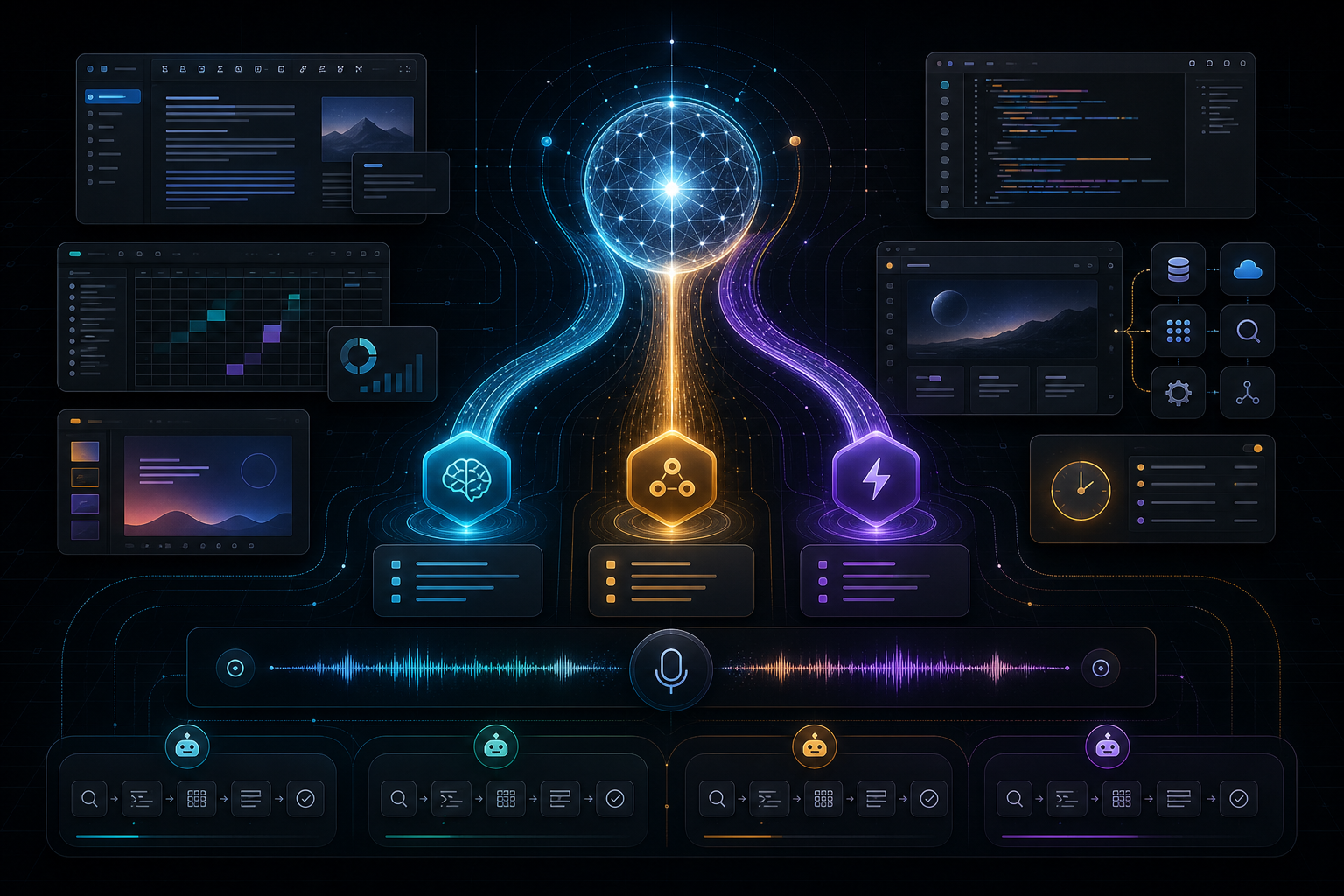
$ inspect openai_release --model gpt-5.6
> family: sol / terra / luna
> effort: default / max / ultra
> surfaces: chat / work / codex / api / live
> verify: official sources / rollout / pricing / limitsGPT-5.6 in One Minute
GPT‑5.6 is OpenAI’s new model family for professional work, released for general availability on July 9, 2026. It is not one model with three marketing names. The family has three capability tiers: GPT‑5.6 Sol, the flagship; GPT‑5.6 Terra, a balanced lower-cost model; and GPT‑5.6 Luna, the fastest and most affordable option. OpenAI says the number identifies the generation, while Sol, Terra and Luna are durable tiers that can evolve on their own cadence.
The central change is not simply a higher benchmark score. GPT‑5.6 is designed to complete longer, tool-heavy workflows with fewer tokens and less supervision, create more polished documents, presentations, spreadsheets and interfaces, use a computer more effectively, and scale reasoning from an efficient default to max and multi-agent ultra modes.
At the same time, ChatGPT itself changed. ChatGPT Work became a dedicated surface for longer projects; the new desktop app brings Chat, Work and Codex together; Sites can turn work into interactive web experiences; plugins connect external tools; scheduled tasks keep projects moving; and GPT‑Live powers a more natural voice experience. These are separate product layers, even when they cooperate.
This guide is based on OpenAI’s GPT‑5.6 launch announcement, ChatGPT Work page, ChatGPT release notes, GPT‑Live announcement and ChatGPT Voice documentation. Product availability can change after publication, so check those official pages for the latest plan and region details.
What Is GPT-5.6?
GPT‑5.6 is a general-purpose frontier model family built for coding, knowledge work, computer use, scientific research, cybersecurity and agentic workflows. In practical terms, it is intended to move from “answer this question” toward “understand this outcome, gather context, use tools, create an artifact, inspect it, revise it and deliver a finished result.”
OpenAI emphasizes performance per dollar and useful work per token. That matters because long agentic workflows can become expensive or slow even when a model is intelligent. A model that needs fewer output tokens, fewer tool round trips and fewer corrective prompts can reduce the total cost of reaching an accepted result.
The release also introduces a clearer family structure:
| Model | Position | Best starting use |
|---|---|---|
| GPT‑5.6 Sol | Flagship, highest capability | Difficult coding, complex analysis, design judgment, research and high-stakes professional artifacts |
| GPT‑5.6 Terra | Balanced performance and cost | Everyday professional work, production agents, structured analysis and workflows at scale |
| GPT‑5.6 Luna | Fastest and most affordable | High-volume classification, extraction, routing, drafts and latency-sensitive tool use |
These are not rigid boundaries. The correct model depends on your evaluation set, latency target, token volume, tool architecture and cost of an error.
How GPT-5.6 Differs from GPT-5.5
The strongest differences appear in five areas.
1. More efficient long-horizon work
OpenAI reports that GPT‑5.6 can write and run lightweight programs that coordinate tools, filter intermediate data, monitor progress and decide what to do next. This reduces the need to send every tool result back through a new model round trip. The benefit is especially important for research, coding, analytics and automation tasks where raw intermediate output can be much larger than the final evidence.
The official launch page reports partner evaluations with fewer tokens, fewer tool calls or lower latency in specific workflows. Those figures should not be generalized to every application. They show the direction of improvement, not a guaranteed saving for your workload. Run your own eval with the same input set, tools, acceptance criteria and cost accounting.
2. Better coding and terminal work
OpenAI describes Sol as its best coding model at launch. In the published evaluation table, GPT‑5.6 Sol with max reasoning reached an Artificial Analysis Coding Agent Index score of 80, while GPT‑5.5 was listed at 76.4. On Terminal‑Bench 2.1, Sol scored 88.8%, and Sol Ultra reached 91.9%, compared with 85.6% for GPT‑5.5.
Benchmarks are useful for direction, but production coding depends on repository context, tests, permissions, tool reliability and review discipline. The meaningful upgrade is the combination of reasoning, tool coordination, persistence and rendered-result inspection—not permission to skip code review.
3. Stronger design judgment and computer use
GPT‑5.6 is trained to produce more polished interfaces and visual artifacts from higher-level direction. OpenAI highlights its ability to inspect a rendered result, notice visual or functional issues and refine the output rather than stopping after generating source code. The same design improvements apply to presentations, documents and spreadsheets: layout, hierarchy, template fidelity, typography and editable structure.
This is valuable when the task has a visible acceptance surface. Ask the model to render or preview the result, compare it with a reference, list defects, repair them and repeat. A text-only “done” message is weaker evidence than the inspected artifact.
4. Better professional knowledge work
GPT‑5.6 is positioned for end-to-end work across documents and connected business systems. It can gather context from sources such as Slack, Notion, Microsoft 365 and Google Drive when those tools are connected and permitted, then create shareable reports, forecasts, decks or analyses.
The key is not to upload everything. Define the decision, source boundaries, freshness requirements, output format and review owner. More context can improve grounding, but irrelevant or conflicting context can still reduce quality.
5. A larger reasoning and execution range
GPT‑5.6 extends the effort ladder. max gives the model more time than xhigh to explore alternatives, run checks and revise. ultra coordinates four agents in parallel by default, trading more tokens for stronger results and faster time-to-result on work that can be split into independent streams.
More compute is not automatically better. Use it when the value of an improved result exceeds the added cost and when parallelization is real: for example, separate research streams, independent code investigation, multi-market analysis or several artifact sections that can be reconciled later.
Sol, Terra or Luna: Which One Should You Choose?
Start from risk and workload, not prestige.
Choose Sol when the task is ambiguous, multi-stage and expensive to get wrong: architecture decisions, complex code changes, deep research, financial or legal drafting with expert review, scientific analysis, cybersecurity defense, or an executive artifact that must synthesize many sources.
Choose Terra when you need strong everyday reasoning at a lower cost: operational analysis, business workflows, production agents with clear tools, document pipelines, code maintenance and repeated knowledge work. Terra may be the practical default for many teams because it preserves more budget for evaluation, monitoring and human review.
Choose Luna for high-throughput, latency-sensitive or well-specified tasks: classification, extraction, normalization, routing, first drafts, metadata generation and simple tool decisions. Luna is not a replacement for validation. A cheap incorrect result multiplied across a large volume can be more expensive than a stronger model.
Use a routing policy rather than one global default:
- Send low-risk structured tasks to Luna.
- Send normal professional work to Terra.
- Escalate ambiguity, high impact or failed evaluation to Sol.
- Enable
maxonly when additional reasoning has measurable value. - Use
ultraonly when parallel workstreams can be verified and reconciled.
What Are max and ultra?
max is a higher reasoning-effort setting. It allows more exploration, checks and revision than lower effort levels. It fits a single difficult workstream where accuracy matters more than speed.
ultra is not merely “think longer.” OpenAI describes it as a multi-agent mode that coordinates four agents in parallel by default. In the API, developers can build similar experiences using the multi-agent beta in the Responses API. Multi-agent execution can reduce wall-clock time when subtasks are independent, but total token use includes the subagents.
Good ultra tasks include:
- research that can be split by source, market or hypothesis;
- a large codebase investigation divided by subsystem;
- due diligence with separate product, technical, security and financial tracks;
- a report where independent sections require different expertise;
- comparison work that benefits from independent analyses before synthesis.
Poor ultra tasks include a short rewrite, a simple factual question, a tightly sequential operation, or a task with no verification standard. Parallel agents can repeat the same mistake or create reconciliation overhead.
GPT-5.6 in ChatGPT
As of the July 9 announcement, GPT‑5.6 is rolling out across ChatGPT, Codex and the API. OpenAI says Plus, Pro, Business and Enterprise users can access Sol in Chat through medium and higher effort settings, while Pro and Enterprise users can select Sol Pro for the highest-quality results on complex tasks.
In ChatGPT Work and Codex, Free and Go users receive Terra. Plus, Pro, Business and Enterprise users can choose Sol, Terra or Luna and set effort levels. max is available to users with GPT‑5.6 access in Work and Codex. ultra is available in Work for Pro and Enterprise and in Codex for Plus and higher plans. Rollouts are gradual, so a model may not appear immediately on every account, platform or workspace.
Do not confuse the model with the product surface:
| Surface | Primary job |
|---|---|
| Chat | Questions, conversation, drafting and interactive help |
| Work | Longer projects, connected context, actions and finished artifacts |
| Codex | Software engineering across repositories, terminals, tests and reviews |
| API | Custom applications, agents and controlled production workflows |
What Is ChatGPT Work?
ChatGPT Work is an agent for longer, more involved tasks. It can research and analyze information, work across connected tools and files, and create finished documents, spreadsheets, presentations, reports and Sites. You can follow progress, answer questions, redirect the work and approve important actions.
The product changes the unit of interaction. A normal chat often optimizes for the next answer. Work optimizes for an outcome that may require context gathering, planning, tool use, artifact creation and revision. GPT‑5.6 supplies the reasoning and execution capability, while Work supplies the environment and controls.
Plan mode
In Plan mode, ChatGPT gathers context, asks questions and proposes a step-by-step approach before execution. Review the plan as a contract: verify deliverables, sources, exclusions, approval points and the definition of done. A detailed plan is not proof of successful execution, but it reduces avoidable divergence.
Connected tools and plugins
OpenAI says ChatGPT Work can connect to tools and workflows through plugins. The Plugin Directory replaces the older App Directory, while existing connections remain intact. Connected access should follow least privilege: authorize only the data and actions needed for the task, and require approval for consequential writes.
Finished artifacts
Work can produce editable documents, presentations and spreadsheets rather than only chat text. Give it templates, examples, data definitions and a target audience. Then ask it to verify formulas, citations, layout consistency and missing sections.
Sites
ChatGPT Sites turns ideas, plans and data into interactive websites or lightweight applications. Typical outputs include dashboards, project trackers, launch calendars, prototypes, internal portals and reports. Users can preview and refine a Site before sharing. Availability and public publishing depend on plan, workspace administration and region.
Scheduled tasks
Work can keep projects moving with one-time, recurring or monitoring tasks. Scheduled work is useful for briefings, repeated reports and change detection. It still needs a clear source set, trigger, output contract and stop condition. Do not use an unattended schedule for irreversible actions without approval boundaries.
Built-in browser and desktop apps
The new ChatGPT desktop app combines Chat, Work and Codex. With permission, Work can use local files and desktop apps. A built-in browser supports multiple tabs and richer agentic workflows across web tools, accounts and files. Treat browser sessions as privileged access: use dedicated accounts when appropriate, review intended writes and verify the final external state.
What Changed in ChatGPT Voice: GPT-Live
GPT‑Live is a separate voice-model family, not another name for GPT‑5.6. GPT‑Live‑1 powers paid Voice experiences and GPT‑Live‑1 mini powers Free. Its full-duplex architecture can listen and speak at the same time, making pauses, interruptions and short acknowledgements feel more natural.
The official launch says GPT‑Live can delegate complex questions to a frontier model in the background while keeping the conversation flowing. At launch, that background model was GPT‑5.5; OpenAI said it would update the frontier model over time. Therefore, do not state that every GPT‑Live answer is generated by GPT‑5.6 unless current official documentation confirms it.
Live can use web search and memory, show supported visual cards, and combine voice with text and images in one chat. At launch it does not support video or screen sharing; eligible subscribers can use Advanced Voice for those features. Live availability depends on plan, region and platform, and it is initially separate from Work, Codex, custom GPTs and some managed workspaces.
GPT-5.6 for API Developers
The API exposes gpt-5.6-sol, gpt-5.6-terra and gpt-5.6-luna. OpenAI’s launch pricing per one million tokens is:
| Model | Input | Output |
|---|---|---|
| GPT‑5.6 Sol | $5.00 | $30.00 |
| GPT‑5.6 Terra | $2.50 | $15.00 |
| GPT‑5.6 Luna | $1.00 | $6.00 |
Pricing is only one cost component. Include cached input, tool calls, retries, parallel subagents, data services, evaluation, monitoring and human review in total-cost calculations.
Programmatic Tool Calling
In the Responses API, Programmatic Tool Calling lets GPT‑5.6 write and run in-memory programs that coordinate tools and process intermediate results. Instead of returning every raw tool response to the model, the program can filter, aggregate and retain only what matters. OpenAI says the feature is compatible with Zero Data Retention.
Use it when a workflow has many tool calls, large intermediate datasets or conditional logic. Keep tool schemas narrow, validate every argument, apply least privilege and log the decisions needed for audit. The program is still model-generated behavior and should not bypass your authorization layer.
Multi-agent beta
The Responses API multi-agent beta lets GPT‑5.6 run concurrent subagents and synthesize their work in one request. Define non-overlapping responsibilities, a shared evidence standard and a final reconciliation step. Measure total tokens and failure correlation, not only wall-clock speed.
Prompt caching
GPT‑5.6 adds explicit cache breakpoints and a 30-minute minimum cache life. For GPT‑5.6 and later models, cache writes are billed at 1.25 times the uncached input rate, while cache reads receive a 90% cached-input discount according to the launch announcement.
Caching helps repeated long prefixes: policies, tool descriptions, document packs or stable project context. Put stable content before variable user input, define breakpoints intentionally and track hit rate. A cache is an economic optimization, not a source-freshness strategy; invalidate or version content when policies or data change.
How to Prompt GPT-5.6 Effectively
GPT‑5.6 needs less micromanagement, but it still benefits from a clear contract. State the outcome, context, constraints, tools, deliverable and verification method.
Use this structure:
Outcome: the decision or artifact to produce.
Context: authoritative files, links, systems and assumptions.
Constraints: permissions, exclusions, budget, time and safety boundaries.
Deliverable: exact format, audience, language and level of detail.
Verification: tests, source checks, acceptance criteria and reviewer.
Execution: plan first; ask only when a missing fact changes the result materially.
For knowledge work, attach the source materials and identify which are authoritative. For coding, provide repository instructions, test commands and the scope of allowed changes. For design, provide reference artifacts and require rendered inspection. For tool use, state approval boundaries and irreversible actions. For long work, ask for checkpoints with evidence instead of constant narration.
Avoid asking the model to “be smarter” or “use maximum reasoning” by default. Start at the lowest tier and effort that passes your eval. Escalate only failed or high-risk cases.
A Practical Workflow for Better Results
- Frame the outcome. Replace a broad request such as “analyze our business” with a decision, audience and artifact.
- Select the model tier. Route by complexity, risk, latency and volume.
- Set effort. Use normal effort first,
maxfor difficult single-stream reasoning andultrafor genuinely parallel high-value work. - Provide controlled context. Prefer authoritative sources and remove irrelevant material.
- Define tools and permissions. Separate read access, reversible writes and consequential actions.
- Request a plan for complex work. Review scope, dependencies and acceptance criteria.
- Let the model create and inspect the artifact. Require formulas, code, links and visual output to be checked.
- Run external verification. Tests, calculations, citations and human subject-matter review remain necessary.
- Record cost and failure data. Compare total tokens, latency, correction cycles and accepted outcomes.
- Improve the router and prompt. Do not assume every failure requires the largest model.
Limits, Safety and What GPT-5.6 Does Not Guarantee
GPT‑5.6 can still make factual errors, misunderstand ambiguous instructions, use a tool incorrectly or produce an attractive artifact with a wrong assumption. Long context does not guarantee that every detail is used correctly. A high benchmark score does not predict every private workflow.
OpenAI classifies GPT‑5.6 as more capable in cybersecurity and biology than earlier models, while stating that it does not cross the Critical threshold in those categories. The launch includes stronger safeguards, monitoring and access controls. For legitimate defensive security work, users may encounter additional checks or need trusted access.
For regulated or high-impact decisions, keep a qualified human accountable. Require traceable sources, evaluation cases, approval gates and rollback. Never grant a general-purpose model unrestricted production credentials simply because it can plan well.
SEO Summary: The Real GPT-5.6 Upgrade
GPT‑5.6 is best understood as a model family and an execution upgrade. Sol, Terra and Luna give teams a clearer intelligence-speed-cost ladder. max expands single-agent reasoning; ultra adds parallel agents. Programmatic Tool Calling reduces waste in tool-heavy API workflows. Improved computer use and design judgment help produce and refine finished artifacts.
The ChatGPT changes are equally important. ChatGPT Work provides a surface for longer outcomes, connected context, planning, artifacts and scheduled execution. The unified desktop app brings Chat, Work and Codex together. Sites, plugins and the browser expand what can be delivered. GPT‑Live modernizes voice through full-duplex interaction, but remains a distinct voice system rather than “GPT‑5.6 Voice.”
The best way to use GPT‑5.6 is not to select Sol Ultra for everything. Build a routing policy, define acceptance criteria, give the model controlled tools, verify the artifact and measure the cost of an accepted outcome.
For teams implementing model routing, RAG, tools or production agents, see LLM systems and prompt engineering, AI automation and the AI engineering case studies.
Official Sources
Where GPT-5.6 Fits in a Production AI System
Model routing, tool permissions, evaluation, human approval and operational ownership
Use the family as a routing layer: Luna for safe high-volume tasks, Terra for everyday professional workflows and Sol for ambiguous or high-impact work.
- Evaluate accepted outcomes, total tokens, latency and correction cycles.
- Keep connected tools least-privileged and consequential writes approval-gated.
- Verify documents, code, citations and rendered artifacts outside the model.
route(task) {
  if (task.highRisk || task.ambiguous) return "gpt-5.6-sol";
  if (task.highVolume || task.latencySensitive) return "gpt-5.6-luna";
  return "gpt-5.6-terra";
}
verify(output, sources, tests, humanOwner);