Tool Schema Design: How to Describe Functions for LLMs
Describe one effect per function
Validate arguments and access outside the model
Original SCHEMA-GATE-7 contract and CRM example
Failure modes and production tests
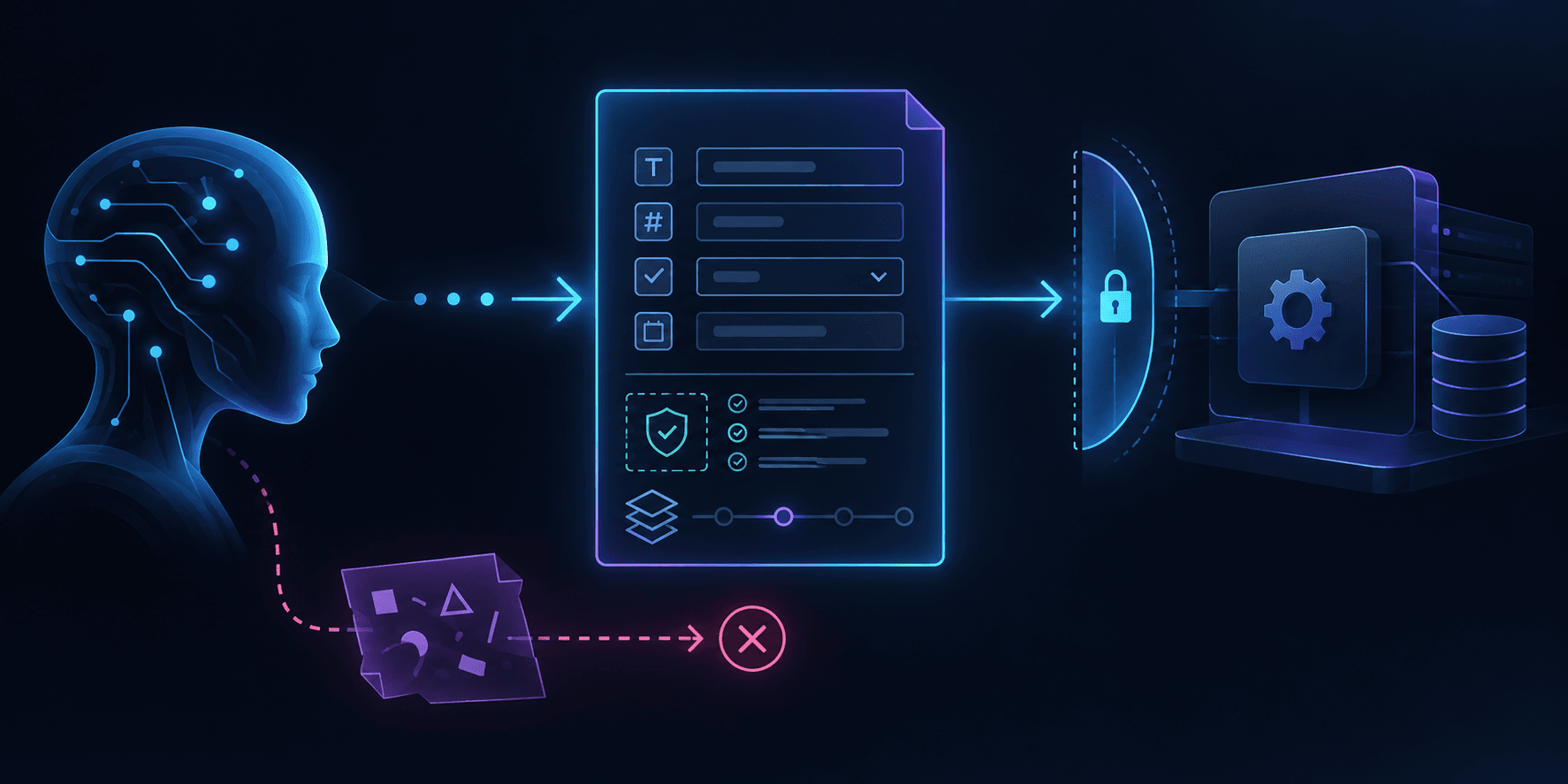
$ tool --schema SCHEMA-GATE-7
> define: intent / input / output
> validate: actor / tenant / target
> execute: idempotency / receipt
> route: verified / deny / reconcileA model can propose a function call, but the application must decide whether that call is well formed, authorized and safe to execute. Tool schema design for LLMs is therefore more than a JSON formatting exercise. The name and description guide tool selection; the argument schema constrains inputs; the runtime checks identity, target and actual effect. This guide focuses on that engineering contract. For the broader question of choosing an AI specialist in Armenia, use the dedicated service guide.
The original SCHEMA-GATE-7 checklist below uses a synthetic CRM task draft. It is a design example, not a claim about a deployed client system or measured model accuracy. Read the adjacent tool calling guide for the full invocation path and the MCP security guide for server trust boundaries.
The problem: a proposal is not an action
The model sees a tool name, description and input schema, then generates a proposed call. A structured-output mode may improve the shape of that proposal, but the application still has to validate it independently. Three questions should stay separate: which tool fits the user's intent, which arguments are valid, and whether this user may cause this effect now. A verbose description cannot replace the latter two checks.
Start by naming one effect. crm_create_task_draft has a narrower contract than update_crm, which could change a customer, owner or deal status. Describe when to use the tool and where its authority ends: it creates a draft, sends no message and changes no source document. State an important exclusion, such as “do not use when the customer identity or source version is unknown.” Use fields with one meaning each. Make required inputs explicit, use enums for closed choices, reject unknown fields and impose practical length and format limits. Never place credentials or sensitive internal data in a model-visible description.
The output matters too. Return a typed result with a draft ID and state, or a short error code that distinguishes invalid arguments, denied access and an unknown result after timeout. If the model sees only prose such as “something went wrong,” it cannot choose an appropriate recovery path. User-facing text should be based on a verified destination result, not on the model's confidence.
SCHEMA-GATE-7: seven contract boundaries
| Boundary | Question | Evidence |
|---|---|---|
| 1. Intent | Which single effect is permitted? | tool name and description |
| 2. Input | Which fields and values are accepted? | versioned schema and validator |
| 3. Identity | Who is making the request? | actor, tenant and request ID |
| 4. Scope | May this actor target this record? | policy decision and target ID |
| 5. Review | Does this write need a person? | exact payload digest and approval expiry |
| 6. Execution | How are duplicate effects prevented? | idempotency key and narrow adapter |
| 7. Outcome | Was the effect verified in the destination? | receipt or reconciliation route |
The model can use the first two boundaries to form a proposal. The application enforces the rest outside the model. If an MCP server supplies the tool, that server must also enforce its own access policy; discovery is not authorization. Prompt engineering helps shape the proposal, while AI automation defines the controlled workflow around it.
A minimal schema example
Imagine a support worker reading a permitted knowledge-base excerpt and preparing a manager's follow-up task. The function creates only a draft. It does not modify a customer or notify anyone. This contract is illustrative; check the JSON Schema subset and tool definition format supported by the actual provider or SDK.
{
  "name": "crm_create_task_draft",
  "description": "Create a draft task for an existing customer after the customer and source have been verified. Do not use for sending messages or changing customer records.",
  "parameters": {
    "type": "object",
    "additionalProperties": false,
    "required": ["customer_id", "summary", "source_ref"],
    "properties": {
      "customer_id": { "type": "string", "minLength": 1 },
      "summary": { "type": "string", "minLength": 10, "maxLength": 500 },
      "source_ref": { "type": "string", "minLength": 1 }
    }
  }
}
customer_id must come from a customer the application has identified through an authorized source, not from an unverified model guess. source_ref points to a checkable document version. additionalProperties: false prevents a surprise field such as send_notification. If the provider's supported schema subset omits a constraint, enforce it again in the server-side validator. Even perfectly shaped JSON can target the wrong customer.
Authorization belongs in the runtime
The schema describes form; policy decides whether a particular actor may create a draft for this customer_id in this tenant. That decision can change after generation. Bind actor, tenant, target and current source version at execution time. Risky writes may require human approval tied to the exact arguments and an expiry, rather than a general instruction to “work with the CRM.” The approval boundaries guide details that decision.
Components and call lifecycle
The tool catalog should expose only functions relevant to the current context. Hiding a function from an unauthorized role reduces accidental selection, although server authorization remains mandatory. The catalog records owner and schema version. Changing a field's meaning or allowed values requires compatibility tests. Reusing a name with an incompatible contract can break saved plans and retries.
After the model proposes a call, the gateway parses its arguments, rejects extra properties, normalizes only safe formats and checks the target record. Do not silently change an unknown customer_id to a “similar” one. For a repairable argument error, return a concise machine-readable code and safe explanation so the model can propose another call. For a permission denial, avoid disclosing whether someone else's record exists.
The adapter executes with a stable request ID. A timeout can leave the result unknown: the write may already have reached the CRM. Blind retry creates duplicate drafts. The receipt therefore includes the draft ID and state, while an unknown result goes to read-back or operator reconciliation. Only confirmed results become claims in the final answer.
// Illustrative execution gate, not an SDK implementation.
const args = schemaV3.parse(modelProposal.arguments);
if (!policy.canDraft(actor, tenant, args.customer_id)) return deny("scope");
if (!source.current(args.source_ref)) return hold("stale_source");
if (risk.requiresReview && !approval.matches(actor, digest(args))) return hold("review");
const result = await crm.createDraftOnce(args, requestId);
return result.unknown ? reconcile(requestId) : verifyDraft(result.draftId);
Failure modes and response paths
| Scenario | Check | Route |
|---|---|---|
| Model selects draft creation to send an email | tool intent and description | reject and choose a different tool |
Model adds send_notification: true | closed schema and server validator | invalid_arguments |
| Customer belongs to another tenant | record-level policy | deny without data leakage |
| Source became stale after generation | source_ref version | refresh or review |
| Schema changed between discovery and call | contract version | stop and revalidate |
| CRM write timed out | request ID and read-back | reconcile before retry |
| Tool returns arbitrary prose | typed output contract | reject unverified outcome |
A tool described as “perform any CRM action” makes selection ambiguous and authority hard to bound. Dozens of near-identical functions create a different selection problem. Test realistic task categories, not only JSON syntax. Examples in a description can clarify inclusion and exclusion boundaries, provided they contain no secrets or customer data.
Tests and production checklist
Build a small fixture set: valid draft, unknown customer, cross-tenant customer, stale document, extra field, oversized text, denied approval and timeout after a write. For each fixture, record the expected tool choice, argument validity, policy decision and CRM state. Measure those stages separately. A high percentage of syntactically valid calls does not establish correct targets or safe execution.
Treat the contract as an API: pin versions, review changes, test compatibility, validate input and type the response. Log request ID, schema version, decision code and effect ID while excluding secrets and full sensitive payloads. Define the tool owner, timeouts, retry budget, call budget and shutdown path. For MCP-backed tools, also check server provenance, advertised capabilities and the current specification for your transport.
Roll out read-only access first, then a bounded draft action. Test denials as carefully as success. For an architecture review, bring one function name, a valid request example, access policy and the expected proof in the destination system. The AI specialist Armenia guide covers the broader buying decision; this contract is one verifiable part of the implementation.
const args = schemaV3.parse(proposal.arguments);
if (!policy.canDraft(actor, tenant, args.customer_id)) return deny;
if (!source.current(args.source_ref)) return hold;
const result = await crm.createDraftOnce(args, requestId);
return result.unknown ? reconcile(requestId) : verify(result.draftId);