AI Sales Email Assistant: Personalization Without Mass Spam
Use a permitted signal to create a reviewable draft, not autonomous outreach
Context contracts, policy checks, owner review and verified CRM/provider outcomes
Original EMAIL-6 operating model with acceptance criteria for a controlled pilot
AI sales email assistant, sales automation, CRM context, email personalization, human review, consent, communication policy and verified outreach
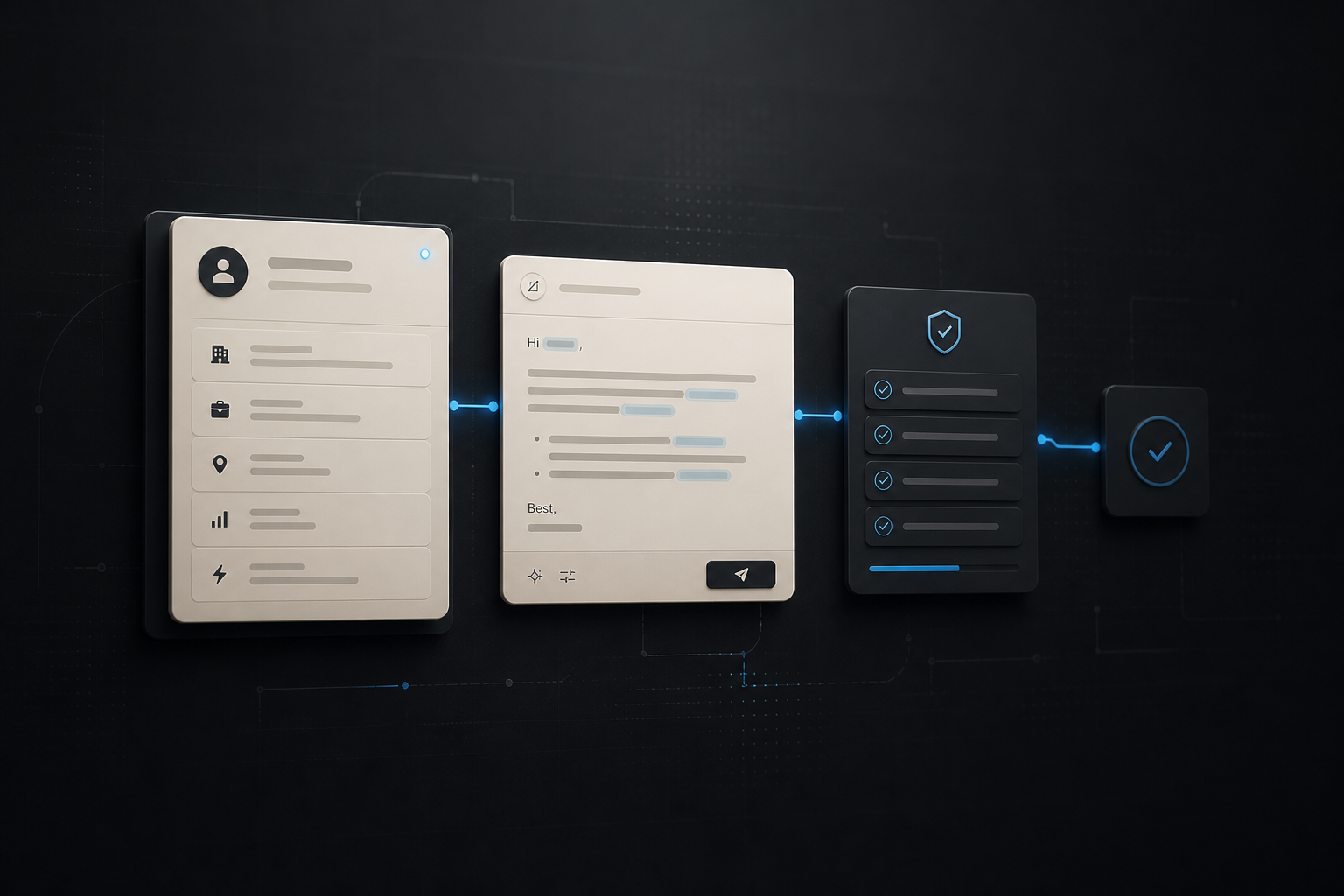
$ draft sales-email --contract EMAIL-6
> capture: task / permission / owner
> prepare: approved context / offer / exclusions
> draft: subject / body / evidence / uncertainty
> validate: policy / frequency / claims / links
> review: edit / reject / approve
> record: provider receipt / CRM read-backAn AI sales email assistant should not be a machine for generating more messages. Its useful role is narrower: take a permitted CRM signal, produce a reviewable draft for one relevant recipient and keep the decision to send with a person and the company’s communication policy.
This guide addresses that implementation question. For a broader AI automation scope and delivery discussion, start with the AI specialist Armenia service page.
The implementation work belongs in the AI automation service scope, while the case-studies hub provides the separate proof layer. This article stays focused on one long-tail question: how to make a sales-email draft workflow controlled and inspectable.
1. Start with a permitted signal, not a contact list
Personalization begins before the model sees any text. Define one legitimate trigger: a requested follow-up, a prospect reply, a booked discovery call, an account-owner task or an explicit opt-in. A large exported list, a scraped profile and an old CRM tag do not by themselves justify a personalized sequence.
The input contract should say what the assistant may use and what it must not infer:
- a stable contact and account ID, campaign or task ID, and the named sales owner;
- the interaction context, source timestamp and communication permission state;
- approved product facts, case references and a single proposed next step;
- prohibited claims, sensitive attributes and fields that must never enter the prompt;
- the policy version, review route and retention rule for the draft.
Do not ask the model to "research everything about this person." It can turn weak or irrelevant signals into an overly familiar message. A bounded brief is more useful: explain why this recipient is being contacted, which evidence supports that reason and when the system must return needs_review instead of a draft.
Example input and output
{
  "eventId": "sales-task-2026-08-06-018",
  "contactId": "contact_204",
  "accountId": "account_71",
  "trigger": "requested_follow_up",
  "permission": "approved",
  "approvedContext": ["discovery_call_notes", "product_page_view"],
  "offer": "workflow discovery session",
  "policyVersion": "EMAIL-ASSIST-1"
}
The model returns a proposal with its basis, not a send command:
{
  "eventId": "sales-task-2026-08-06-018",
  "subject": "Following up on the workflow question",
  "body": "draft text limited to approved context",
  "evidence": ["discovery_call_notes"],
  "claimsUsed": ["approved_offer"],
  "route": "review",
  "policyVersion": "EMAIL-ASSIST-1"
}
2. Design a draft workflow, not an autonomous sender
The model belongs between context preparation and human review. It can summarize approved notes, select a tone from a small rubric and create a first draft. It should not decide contact eligibility, override frequency limits or send a message because its output sounds confident.
A practical EMAIL-6 route has six steps:
- Capture a single CRM task and its permission state.
- Prepare a redacted, source-linked context packet with an approved offer.
- Draft a constrained subject and body, including uncertainty when evidence is incomplete.
- Validate policy, claims, length, links, frequency and opt-out handling deterministically.
- Review the draft in the owner’s CRM queue; edit, reject or approve it explicitly.
- Record the final disposition and, only after an approved send, write back the provider receipt.
This makes a useful distinction: personalization is a proposed connection between a verified signal and a relevant next step. It is not a license to simulate intimacy, expose hidden data or turn every record into outreach.
For the adjacent CRM quality boundary, see AI CRM enrichment: data, sources and quality control. The assistant should consume source-backed context, not create a new untraceable profile.
3. Keep integrations and contracts explicit
The CRM, policy layer and email provider should each retain a narrow responsibility. The CRM owns relationship history and task assignment. The policy layer decides whether a draft is allowed. The provider owns delivery and unsubscribe state. The assistant proposes language only from the context it receives.
Use an idempotency key derived from the task ID and policy version. This prevents a retry after a timeout from creating two drafts or two sends. Keep separate records for source facts, model proposal, reviewer edits, approval decision, provider response and any correction. A green workflow run is not proof that a recipient received the intended message.
Important deterministic checks include:
- reject missing or expired permission and records on a suppression list;
- enforce account-level frequency and quiet-period rules before review and again before send;
- allow only approved domains, links, offers and factual claims;
- remove hidden notes, sensitive data and unapproved personal attributes from the prompt;
- route conflicting CRM facts, ambiguous identity or unsupported claims to the owner;
- confirm the provider receipt and CRM read-back after an approved send.
For a more general pattern of model recommendations inside business rules, see AI lead qualification: connect model, rules and CRM.
4. Test the uncomfortable cases before launch
An evaluation set should include more than polished discovery-call notes. Test a duplicate contact, an outdated permission record, a customer who opted out, incomplete context, a contradictory account name, a multilingual note, a request to use an unapproved claim, a provider timeout and a reviewer rejection.
Acceptance criteria are operational rather than a single claimed conversion number:
- every draft points to permitted source context or states that it lacks enough evidence;
- no draft is created for a suppressed, unconsented or over-frequency contact;
- the model cannot add a claim outside the approved offer and evidence packet;
- a reviewer can edit or reject a draft without changing hidden prompt state;
- retries do not duplicate a draft or a provider send;
- the CRM contains the same final status as the provider receipt or a clear reconciliation task.
Review a sample of accepted, edited and rejected drafts with the sales owner. The objective is not to make every email sound unique. It is to make the workflow reliably choose when it has enough allowed context to be helpful and when it should remain silent.
5. Operate and improve with quality signals
Observe signals that help the team improve the system without turning them into promises: drafts rejected for insufficient evidence, policy blocks, reviewer edits by reason, duplicate-prevention events, provider bounces, opt-outs, reconciliation failures and time spent in the review queue.
Use these signals to revise the contract. If reviewers repeatedly remove a type of claim, move it to the prohibited list. If the same source is often stale, shorten its validity window. If a sequence creates too much review work, narrow the trigger or return to templates. Keep an owner for the policy and a simple way to pause the workflow.
EMAIL-6 acceptance gate
require(task.id && consent.isValid && policy.version);
require(context.allowed && draft.schemaValid && frequency.withinLimit);
send = reviewer.approved && provider.receipt && crm.readBack;
The gate does not promise replies or revenue. It ensures that a sales email moves from a permitted signal to a reviewable draft and then, only when approved, to a traceable outcome.
A controlled first pilot
Start with one owner, one opt-in or requested-follow-up trigger, one approved offer and a review-only queue. Use a small representative set of real tasks, including the negative cases. Capture source evidence, policy version, draft, reviewer decision and provider/CRM outcome under one event ID. After a fixed review cycle, decide whether to keep the assistant as a drafting aid, add a narrowly defined approved-send route or retire the experiment.
That is a practical AI sales email assistant: less manual rewriting where context is legitimate, while customer communication, permission and accountability remain under human control. To scope such a workflow, discuss a controlled AI automation pilot.
require(task.id && consent.isValid && policy.version);
require(context.allowed && draft.schemaValid && frequency.withinLimit);
send = reviewer.approved && provider.receipt && crm.readBack;